

Download AetherSX2 BIOS for Android: USA, Japan & Europe Setup
Updated
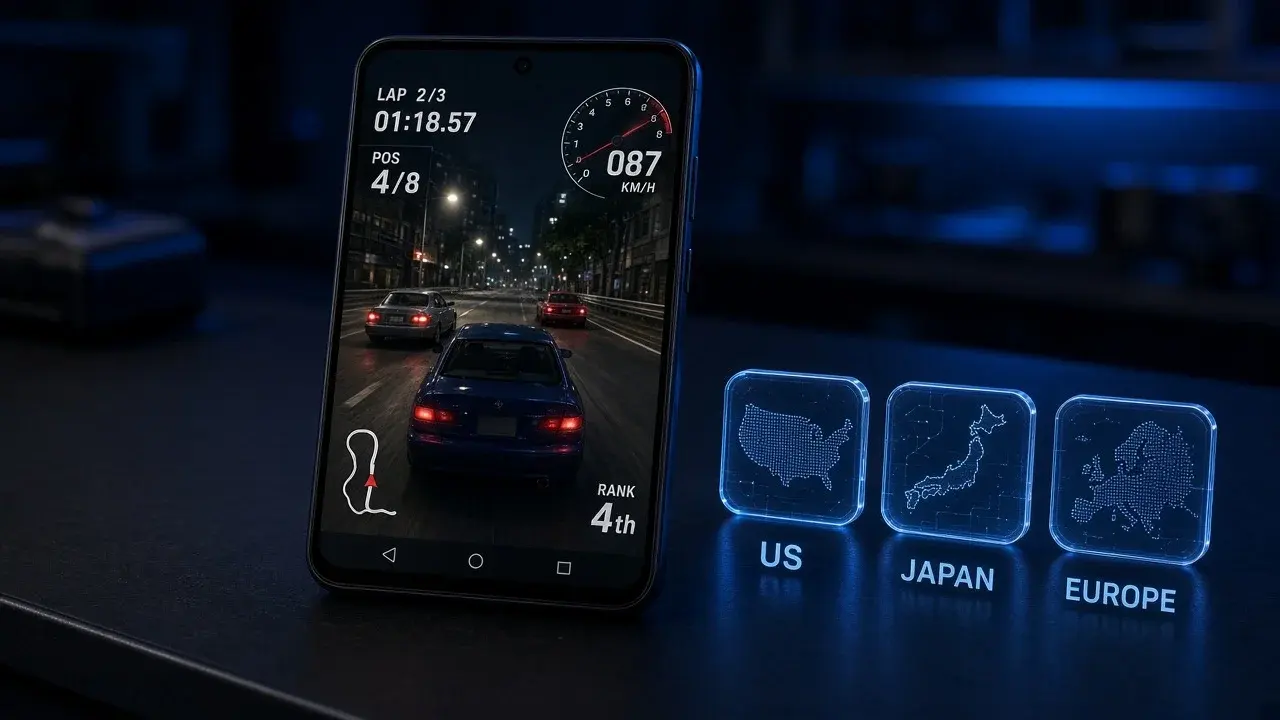
AetherSX2 and NetherSX2 need a PS2 BIOS file before any game will run. Download a USA, Japan, or Europe .bin below, or use a dump from a PlayStation 2 you own. Then import it in the app and add your game folder.
Quick summary
You need a BIOS file before AetherSX2 or NetherSX2 can boot a game.
What it is
The console’s built-in startup software, saved as a small Exactly 4,194,304 bytes (~4 MB) file. The emulator loads it before any game can run.
Who needs it
Anyone using AetherSX2, NetherSX2, PCSX2. The same .bin file works on Android phones and desktop emulators.
Downloads
One-click USA, Japan, and Europe files on this page. Each download lists a SHA-256 hash so you can check the file before import.
Which region
Pick the region that matches your games: USA (NTSC-U), Japan (NTSC-J), or Europe (PAL). SCPH numbers describe the console the dump came from, not a special emulator build.
Only use a region file if you own a console in that market, or dump your own .bin from hardware you own.
Emulator APKs: AetherSX2 APK, NetherSX2 APK, and the version archive.
AetherSX2 BIOS at a glance
Use these facts when you compare mirror sites or verify imports on a new Android phone.
File size
4,194,304 bytes (4 MB)Format
Single .bin per region (USA, Japan, Europe)Emulators
AetherSX2, NetherSX2, PCSX2Verification
SHA-256 on each region card before importLegal
Use dumps from hardware you own or verified site files
Download
Download AetherSX2 BIOS (USA, Japan, Europe)
Pick one region dump for AetherSX2 or NetherSX2. Each file is Exactly 4,194,304 bytes (~4 MB) with a SHA-256 hash.
Only use a region file if you own a console in that market, or dump your own .bin from hardware you own.
Expected dump size: Exactly 4,194,304 bytes (~4 MB). Format: .bin firmware dump from a PlayStation 2 you own.
United States / Canada
NTSC-U / North America
SHA-256 c7628a01da23d7d3… · Exactly 4,194,304 bytes (~4 MB)
- Market
- NTSC-U / North America
- Video
- NTSC ~480i
- Refresh
- ~59.94 Hz
Common dump names
- SCPH-70012.bin
- SCPH-39001.bin
Typical models
SCPH-30001, SCPH-39001, SCPH-70012, SCPH-75001
When to use
Choose this USA BIOS for NTSC-U discs from North America. SCPH-70012 is a common match.
Import tip
Tap Import BIOS, select the ~4 MB .bin, and confirm it is active before you add games.
Mismatch signs
PAL discs may run fast with high-pitched audio. That is a region mismatch, not a bad APK.
Japan
NTSC-J
SHA-256 c4dad3b5c6ad58bc… · Exactly 4,194,304 bytes (~4 MB)
- Market
- NTSC-J
- Video
- NTSC ~480i
- Refresh
- ~59.94 Hz
Common dump names
- SCPH-70000.bin
- SCPH-39000.bin
- SCPH-10000.bin
Typical models
SCPH-10000, SCPH-30000, SCPH-39000, SCPH-70000
When to use
Choose this Japan BIOS for NTSC-J discs and JP exclusives, not a USA dump with Japanese menus.
Import tip
Keep Japan dumps in their own folder so Import BIOS cannot pick a USA or Europe file.
Mismatch signs
US games may soft-lock, fail region checks, or stop at the browser menu.
Europe / Australia
PAL
SHA-256 8921e73006ac2c01… · Exactly 4,194,304 bytes (~4 MB)
- Market
- PAL
- Video
- PAL ~576i
- Refresh
- 50 Hz
Common dump names
- SCPH-70004.bin
- SCPH-39002.bin
Typical models
SCPH-30004, SCPH-39002, SCPH-70004, SCPH-75004, SCPH-90004
When to use
Choose this Europe BIOS for PAL discs. 50 Hz is full speed. Do not force 60 FPS on 50 Hz titles.
Import tip
Activate the Europe BIOS before adding PAL folders. Keep a second dump if you also play NTSC games.
Mismatch signs
Expect speedup, chipmunk audio, or letterboxed 576i borders that graphics settings cannot fix.
What is AetherSX2 BIOS?
AetherSX2 BIOS is the PS2 startup file you import in settings. It is not bundled inside the APK.
When people search for AetherSX2 BIOS, they mean the PlayStation 2 firmware a PS2 emulator needs. The AetherSX2 APK does not include that file. You add a ~4 MB `.bin` yourself.
Without a valid BIOS, the app has nothing to run at boot. Your games will not reach the title screen.
On a real PlayStation 2, the BIOS starts the system and checks discs. NetherSX2 and desktop PCSX2 use your copy of that file so region and timing stay closer to hardware.
The role of BIOS in PS2 emulation
The BIOS runs before the game. Region and video timing start here.
When you tap a game, the BIOS still runs first. It checks the disc path and sets the video mode. Then the game loads.
Random APK sites that say “BIOS optional” are wrong for AetherSX2, NetherSX2, and PCSX2.
- Starts the emulated console before any game code runs.
- Runs the system menu, memory card tools, and disc checks.
- Sets regional video timing (60 Hz NTSC vs 50 Hz PAL).
- Reads controllers and other basic hardware.
- Works with the emulator’s virtual memory cards after import.
Use a USA, Japan, or Europe file that matches your library. The wrong region can make PAL games run too fast or block some Japanese titles.
Does AetherSX2 need a BIOS?
Yes. AetherSX2 needs a PS2 BIOS before any game boots.
AetherSX2, NetherSX2, and PCSX2 all need a BIOS. Skip `.exe` installers, tiny fake bins, and random mirror bundles.
Use the region files on this site or a dump from your own console. Check the SHA-256 hash before you import.
BIOS image missing: quick fix
Use this checklist when the wizard still says BIOS not found.
Setup pauses until a valid BIOS file is active. If you already imported one, storage permission or a bad copy is often the cause.
- Confirm size is Exactly 4,194,304 bytes (~4 MB).
- Re-download from the region card or re-copy from USB.
- Open App Settings → BIOS → Import BIOS and select the matching region.
- Activate USA, Japan, or Europe firmware to match the game folder you are about to scan.
Region-based BIOS: SCPH models (USA, Japan, Europe)
Each SCPH number refers to a PlayStation 2 hardware revision. For emulation, region and video format matter more than whether the shell was fat or slim.
SCPH-70012
- Market
- USA / Canada (NTSC-U)
- Video
- NTSC
- Notes for AetherSX2
- Common slim NTSC-U dump. Strong default for North American ISO and CHD libraries on AetherSX2 and PCSX2.
SCPH-39001
- Market
- USA (NTSC-U)
- Video
- NTSC
- Notes for AetherSX2
- Earlier NTSC-U firmware; interchangeable with other USA dumps for emulation when size matches.
SCPH-70004
- Market
- Europe / Australia (PAL)
- Video
- PAL
- Notes for AetherSX2
- Widely used PAL dump. Use for 50 Hz titles to avoid speedup on NTSC firmware.
SCPH-90004
- Market
- Europe (PAL)
- Video
- PAL
- Notes for AetherSX2
- Late slim PAL hardware. Same rules as SCPH-70004: match PAL discs, not NTSC-U folders.
SCPH-70000
- Market
- Japan (NTSC-J)
- Video
- NTSC-J
- Notes for AetherSX2
- Modern Japan slim dump. Pair with NTSC-J discs and Japanese exclusives.
SCPH-10000
- Market
- Japan (NTSC-J)
- Video
- NTSC-J
- Notes for AetherSX2
- Launch-era Japan console. Valid when dumped correctly; region matters more than model age.
SCPH-50004
- Market
- Europe (PAL)
- Video
- PAL
- Notes for AetherSX2
- Mid-generation PAL. Boot speed and compatibility are similar to other Europe-family dumps.
Jump to downloads: USA BIOS, Japan BIOS, Europe BIOS.
Safe PS2 BIOS files for AetherSX2
Real BIOS files are small and always the same size. Run through this list before import.
- File size must be 4,194,304 bytes. Reject 2 KB stubs or multi-gigabyte “BIOS packs.”
- Extension should be .bin from this page or your own dump. Not .exe installers or nested APK zips.
- Compare SHA-256 on the region card before import if you re-downloaded from another device.
- Reject sites that bundle BIOS + pirated ISOs; firmware-only archives from aethersx2.app are easier to verify.
Android requirements (BIOS + emulator)
You still need to import a BIOS. These specs describe phones that run PS2 games well after setup.
- A valid PS2 BIOS .bin (import via wizard or the region downloads on this page)
- 64-bit ARM phone (arm64-v8a); Snapdragon 845+ or equivalent for heavy titles
- Android 8.0 (Oreo) or newer; Android 12+ storage scopes behave more predictably
- 4 GB RAM minimum; 6-8 GB helps when upscaling or using save states
- Vulkan-capable GPU (Adreno) preferred; OpenGL ES 3.x fallback on many Mali devices
- Free storage for ISO, CHD, or CSO libraries plus memory-card images
How to download and install AetherSX2 with BIOS
Install the emulator APK first, then import firmware. Keep both files on internal storage where the file picker can see them.
Install the APK
Download the AetherSX2 APK or NetherSX2 APK from this site (not random mirror pages).
If Chrome blocks the install, allow installs from that browser or use the system Files app.
Install the APK, then launch once so Android creates the app data folder.
Complete or skip the first-run wizard until you reach Import BIOS.
Import the PS2 BIOS
Download the region-matched .bin above or copy your own dump to internal storage or SD card.
Verify file size is exactly 4,194,304 bytes before import.
Tap Import BIOS in the wizard, or open App Settings → BIOS → Import BIOS.
Select USA, Japan, or Europe firmware and confirm it shows as the active BIOS.
Add your game directory (ISO / CHD / CSO) only after the BIOS line turns green or shows active.
How to add games after the BIOS is active
Importing BIOS does not add games. You still pick a folder for your ISO, CHD, or CSO files.
Open the game list or main menu, then tap the + icon or Add game directory.
When Android asks for folder access, pick the parent folder that holds your disc images.
Wait for the scan; CHD and CSO reduce space but need the same BIOS region discipline as ISO.
Tap a title to boot; start at 1× internal resolution until you confirm stability.
Tune graphics after the first successful boot in the AetherSX2 settings section on the download page. Aspect ratio, upscale, and renderer live there, not in the `.bin` file.
Where the .bin goes
Prefer Import BIOS in the wizard. If you place files by hand, use this path after first launch.
Storage root
Internal storage
Android data
Android/data
Package
xyz.aethersx2.android
Files
files
BIOS folder
bios
File type
.bin dump you own
/Android/data/xyz.aethersx2.android/files/bios/
NTSC-U vs PAL vs NTSC-J: what actually differs
Names like SCPH-70012, SCPH-70004, and SCPH-70000 refer to console models, not different emulator apps.
50 Hz PAL vs 60 Hz NTSC
PAL titles on USA firmware often play fast with pitched-up audio. Switch to the Europe BIOS download before raising EE cycle rate.
Borders
Letterboxed 576i output is common on PAL ports. That is normal, not a bad import.
Mixed libraries
Default to USA firmware for mostly NTSC-U folders; keep Europe and Japan dumps installed and re-import when you rotate collections.
Not BIOS
PS1 BIOS files and tiny stub bins are not what you need. Import the main 4 MB `.bin` unless one game asks for extras.
Graphics after BIOS import
BIOS gets you to the boot screen. Sharpness and FPS come from graphics settings.
- Internal resolution upscale (2×-4×) is set in Graphics, not inside the BIOS file.
- Vulkan on Adreno, OpenGL on many Mali phones. Change renderer if the BIOS menu stutters.
- Texture filtering and anisotropic options polish 3D titles after the BIOS boot succeeds.
- Frame limiter and present mode affect smoothness once firmware is already imported.
System and CPU options
Fix PAL/NTSC mismatch with the correct BIOS before touching EE cycle rate or speedhacks.
- Fast Boot skips the full PS2 browser animation; Full Boot helps when diagnosing disc auth issues.
- EE cycle rate and speedhacks live under CPU. Fix PAL/NTSC mismatch with the correct BIOS first.
- Multi-core EE/VU options use phone CPU after the BIOS hands off to the game.
- Virtual memory cards are configured in the app; the BIOS does not store your Android saves.
How to dump your own PS2 BIOS legally
If you skip the downloads above, dump from your own console. The file should be Exactly 4,194,304 bytes (~4 MB).
- A PlayStation 2 you own (fat or slim; region matters more than the case style)
- A memory card with Free McBoot (FMCB) installed
- A FAT32 USB drive (about 64 MB-32 GB)
- uLaunchELF plus a BIOS dumper such as biosdrain.elf
- About 20 minutes
- Insert the Free McBoot memory card and power on the PS2.
- Launch uLaunchELF from the FMCB menu.
- Plug in the FAT32 USB drive and confirm mass storage appears.
- Run the BIOS dumper and point output at the USB drive.
- Copy the resulting `.bin` to your phone and verify size before Import BIOS.
Same BIOS for NetherSX2 and PCSX2
One BIOS file is not tied to a single app. You can reuse the same `.bin` elsewhere.
Copy the same file into NetherSX2 or place it in the PCSX2 bios directory on Windows and Mac. NetherSX2 does not ship a BIOS. You import the same type of file as on AetherSX2.
Common AetherSX2 BIOS problems and fixes
Match each symptom to a fix for the most common PS2 BIOS import and region mistakes.
BIOS image missing / BIOS not found
No valid dump imported yet, or Android blocked the picker. Use Import BIOS again and grant folder access. Reject .exe “BIOS installers.”Invalid BIOS / file rejected
Size must be exactly 4,194,304 bytes. Truncated cloud transfers and fake mini “bios.bin” packs fail. Re-copy over USB or re-dump.Black screen or freeze on logo
Usually region mismatch. Switch to the dump that matches the disc (USA / Japan / Europe) and try Fast Boot vs Full Boot once.Game too fast or music pitched up
Classic PAL disc on NTSC firmware. Import a Europe BIOS for that title before you touch EE cycle rate.Slow-motion gameplay with low FPS overlay
Usually CPU or GPU limits, not the wrong region. Drop internal resolution, try Vulkan on Adreno or OpenGL on Mali. See Settings.PS2 games not starting after APK install
Almost always missing BIOS or wrong region. Import firmware first, match USA / Japan / Europe to the disc, then re-add the game folder with storage permission granted.Lag in the PS2 browser or BIOS menu
The system menu is 3D-heavy. Try Vulkan vs OpenGL, lower refresh overlay checks, enable Fast Boot, and rule out thermal throttling before blaming the .bin.
PS1 games and what BIOS does not control
AetherSX2 is built for PlayStation 2 games. A few PS1 titles may work in tests, but that is not the main goal.
Save states, controls, frame skip, and audio delay are set in the app after BIOS import.
Low FPS with a good BIOS usually means the phone is struggling. It does not mean you picked the wrong SCPH number.
Getting playable PS2 games on Android
Download the PS2 BIOS for your region. Install AetherSX2 or NetherSX2. Import the file, then add your games.
When the BIOS shows as active, tune renderer and resolution in settings. You do not need a “faster” SCPH model number.
On most Android phones, NetherSX2 is the smoother daily choice. The same `.bin` works in both apps.
Frequently asked questions
Short answers grouped by topic.
These questions are also marked up as FAQPage schema for search and AI overviews.
BIOS files
Can I download BIOS files here?
Yes. This BIOS page offers one-click USA, Japan, and Europe .bin downloads. Each file is 4,194,304 bytes and includes a published SHA-256 hash. Only use a region if you own a PlayStation 2 in that market, or dump your own firmware and import that file instead.
Is downloading a PS2 BIOS legal?
In most places, downloading someone else’s extracted BIOS infringes Sony’s copyright even if you own a PS2. The lawful route is dumping firmware from hardware you own (~20 minutes with Free McBoot and a dumper).
What is AetherSX2 BIOS / what is PS2 BIOS?
A PS2 BIOS is the console’s built-in Sony firmware (~4 MB). Emulators need that dump to boot. The APK does not include it. “AetherSX2 BIOS” means the PS2 BIOS file used with AetherSX2.
Does AetherSX2 need a BIOS?
Yes. Without a valid dump, games will not start. The same requirement applies to NetherSX2 and PCSX2.
How do I fix a missing BIOS image error in AetherSX2?
App Settings → BIOS → Import BIOS, then select a real 4,194,304-byte .bin. Reject .exe packages. Re-grant folder access if Android blocked the picker.
How do I import or install a PS2 BIOS in AetherSX2?
First-run wizard → Import BIOS, or App Settings → BIOS → Import BIOS. Pick your dump, confirm it is active, then add games.
How do I set up AetherSX2 after downloading the BIOS?
Install the AetherSX2 APK from this site. Download the matching USA, Japan, or Europe .bin on the BIOS page. Import BIOS in the wizard, grant folder access, then add your ISO or CHD directory. Adjust graphics in Settings after the first successful boot.
Why do PS2 games not start even though I installed the APK?
The emulator needs an active PS2 BIOS import first. Install firmware, match region to the disc, re-scan the game folder, and confirm the .bin is 4,194,304 bytes, not an .exe pack.
What is the best CPU or phone for AetherSX2 with BIOS?
Snapdragon 8-series or equivalent with Vulkan, 6 GB+ RAM, and Android 10+. BIOS import is lightweight; CPU load rises with internal resolution and demanding titles like God of War or Shadow of the Colossus.
Which is the best PS2 BIOS for AetherSX2?
The best PS2 BIOS for AetherSX2 is the dump that matches your discs. Use USA/NTSC-U (for example SCPH-70012), Japan/NTSC-J (SCPH-70000), or Europe/PAL (SCPH-70004). Region match matters more than chasing a single “best” SCPH model number.
Which BIOS region should I use?
Match the disc region when you can. For a mixed North American folder, USA SCPH-70012 is the practical default. Keep a Europe dump for PAL titles that speed up on NTSC firmware.
Does the BIOS have to match the game region?
Yes for reliable boots and correct timing. Mismatches cause black screens, region locks, or PAL-on-NTSC speedup with high-pitched audio.
Why does my PAL game run too fast or have weird music pitch?
PAL games expect 50 Hz. On a USA/NTSC BIOS they often run ~17-20% fast. Import a Europe BIOS for that title before changing speed hacks.
What causes black bars on PAL games?
Many PAL ports pad 576i with letterboxing. That is in the game’s video output, not a bad dump. Some titles need separate no-border patches.
What filenames does AetherSX2 expect?
Common dumps: SCPH-70012.bin (US), SCPH-70000.bin (Japan), SCPH-70004.bin (Europe). Import the main .bin; optional ROM1/EROM extras are not required for most boots.
Why does import fail or say Invalid BIOS?
Wrong file type, truncated transfer (size ≠ 4,194,304 bytes), or denied folder access. Re-dump or re-copy over USB and import again.
Using the dump
How do I dump my own PS2 BIOS?
Use Free McBoot, uLaunchELF, and a BIOS dumper (e.g. biosdrain) writing to a FAT32 USB drive. About 20 minutes; no soldering required.
Does one BIOS work for every game?
One dump boots the emulator, but region-matched firmware plus matching discs avoid timing and lock issues. Store USA, Japan, and Europe files separately.
Can I reuse the dump in NetherSX2 or PCSX2?
Yes. The same legally dumped .bin works across those apps. Copy the file. Do not download random BIOS packs.
Can I use a slim PS2 BIOS instead of a fat PS2?
Yes. For the same region, slim and fat dumps are interchangeable in AetherSX2. Region matters; shell generation does not.
Can I keep three BIOS files installed at once?
Store multiple .bin files on the phone and re-import when you switch libraries. AetherSX2 activates one dump at a time.
Does NetherSX2 add a region-free BIOS?
No. NetherSX2 still requires your Sony firmware dump. It may include game patches, but it does not replace the BIOS.
BIOS image missing: what does that mean?
No valid PS2 BIOS is active yet. Import a real .bin. Never use an .exe “BIOS installer.”
Do I need scph10000.bin or another SCPH file?
Any valid ~4 MB region dump works. Names like scph10000.bin or SCPH-70012.bin are common labels for the console model that was dumped.
Is there a PS2 emulator without BIOS?
Not in the AetherSX2 / NetherSX2 / PCSX2 family. Sites that claim “no BIOS” or bundle firmware with the APK are unsafe or unlawful.
Are AetherSX2 and PCSX2 the same?
No. AetherSX2 is Android; PCSX2 is primarily desktop. Both need a PS2 BIOS dump. AetherSX2 historically drew from PCSX2-era tech.